


Have you ever tried to find an important email? Maybe a file or a message from a company? It can be hard.
Emails get lost. Messages get mixed up. Things become messy.
This is where client portals come in. But what is a client portal exactly? Let’s break it down.
What Is a Client Portal?
A client portal is a special website. It is private and safe. Only you and the company can enter.
Think of it like a locked mailbox. You and the company put important papers inside. No one else can see them.
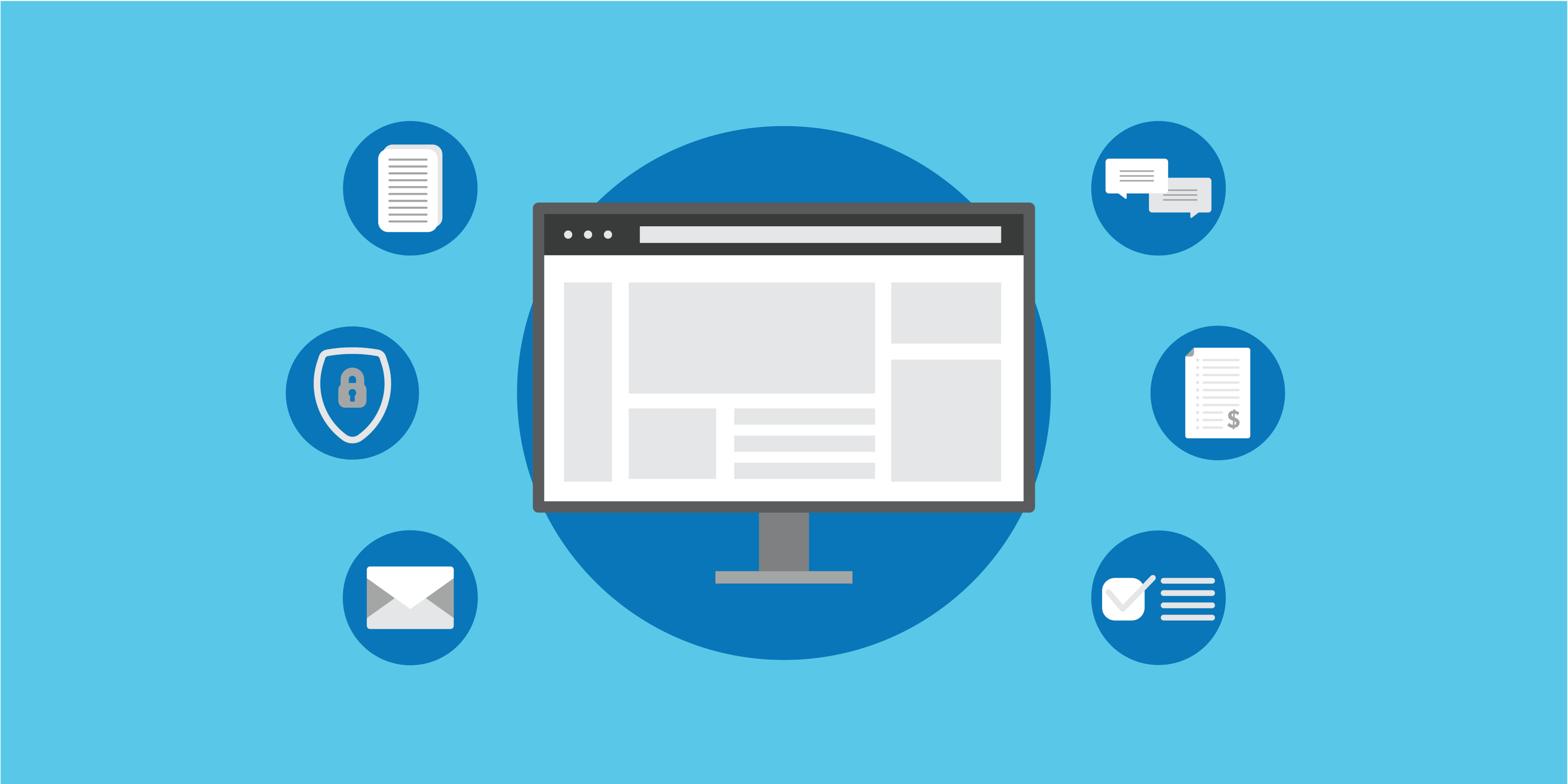
On this website, you can talk, share files, and check on work progress.
Simple Explanation
- It is a safe online space.
- You and the company share information there.
- It keeps everything in one place.
This means no more digging through emails. No more losing important papers.
How Does a Client Portal Work?
When you get a client portal, the company gives you a username and password.
You use these to log in. Then you see all your information in one spot.
Here are some things you can do:
| Action | What It Means |
|---|---|
| Send Messages | You can chat safely with the company. |
| Share Documents | Upload and download files like invoices and contracts. |
| Check Progress | See how your project or order is moving along. |
| Make Payments | Pay bills or invoices directly through the portal. |
| Fill Forms | Complete forms online without printing or mailing. |
Key Features of Client Portals
Client portals have many helpful features. Here are the most common ones:
- Secure Communication: All talks are private and safe.
- Document Management: Easy upload and download of important files.
- Project Tracking: Watch the progress of work or orders.
- Central Dashboard: See all your info in one place.
- Streamlined Processes: Pay bills and fill forms online.
Each feature helps both clients and businesses work better together.
Why Do Businesses Use Client Portals?
Businesses want to make things easier. For themselves and their clients.
With client portals, they keep things organized.
Here are some reasons why businesses like them:
- Save Time: Less back-and-forth emails and calls.
- Stay Safe: Protect sensitive data from hackers.
- Work Better: Everyone sees the same information.
- Help Clients: Clients get quick answers and updates.
How Clients Benefit from Using Portals
Clients also get many good things from portals. Let’s look:
- Easy Access: All info is just a click away.
- Stay Updated: Know what is happening with projects.
- Safe Sharing: Send private info without worry.
- Clear Communication: Talk in one place, no lost messages.
- Fast Payments: Pay bills online quickly and safely.
This helps clients feel happy and confident.
Credit: www.clio.com
Who Uses Client Portals?
Many types of businesses use client portals. Here are some examples:
- Financial Advisors: Share statements and updates securely.
- Law Firms: Exchange contracts and legal papers.
- Marketing Agencies: Show project progress and results.
- Healthcare Providers: Share test results and appointments.
- Freelancers: Manage jobs and payments easily.
Basically, any business that works closely with clients can use portals.
Common Myths About Client Portals
Some people think client portals are hard to use. Or only for big companies.
Here are the facts:
| Myth | Fact |
|---|---|
| Only for big companies | Small businesses use them too. |
| Hard to learn and use | Most portals are very simple and user-friendly. |
| Not secure enough | Portals use strong security to protect data. |
| Too expensive | Many affordable options exist for all budgets. |
How to Start Using a Client Portal
Getting started is easy. Here is what usually happens:
- The business invites you to join the portal.
- You get a username and password.
- You log in and explore your dashboard.
- You upload or download files as needed.
- You send messages and check updates.
If you ever get stuck, most companies offer help guides or support.
Things to Look For in a Client Portal
Not all portals are the same. Some are better for you than others.
Here are some features to check:
- Easy to Use: Clear menus and simple steps.
- Good Security: Passwords and encryption to keep info safe.
- Mobile Friendly: Works well on phones and tablets.
- Fast Loading: Pages open quickly without waiting.
- Customer Support: Help is available when needed.
Choosing the right portal makes a big difference.

Credit: www.zendesk.com
Examples of Client Portal Software
Many companies make client portal software. Some popular ones include:
| Software | Use |
|---|---|
| Dubsado | Good for small businesses and freelancers. |
| Clinked | Focuses on team collaboration and file sharing. |
| Canopy | Designed for accountants and financial advisors. |
| Zendesk | Great for customer support and communication. |
| Noloco | Build custom portals without coding. |
Each software has its own strengths. Choose what fits your needs best.
In Summary
Client portals help businesses and clients work better together.
They keep communication safe and clear. Important files are easy to find.
Projects and payments are tracked in one place. No more lost emails.
Many businesses, big or small, use client portals now.
They make life easier for everyone.
So next time you work with a company, ask if they have a client portal.
You might find it makes your life simpler.
Frequently Asked Questions
What Are Client Portals?
Client portals are secure online platforms where businesses and clients share documents, communicate, and manage projects centrally. They streamline communication, improve collaboration, and protect sensitive data with password-protected access. These portals enhance efficiency by consolidating information, tracking progress, and simplifying workflows for a better client experience.
What Is The Best Client Portal?
The best client portal offers secure communication, easy document sharing, project tracking, and streamlined workflows. Zendesk stands out as a top all-around choice. It improves efficiency, enhances collaboration, and protects sensitive data in one centralized platform.
What Is Another Name For A Client Portal?
Another name for a client portal is a secure client dashboard or a private online workspace. It centralizes communication and document sharing.
What Is The Difference Between A Website And A Client Portal?
A website shares general information publicly, while a client portal offers secure, private access to personalized data and documents. Portals enable communication, project tracking, and file sharing in one centralized, password-protected platform, boosting efficiency and client collaboration beyond a typical website’s scope.

 Ecommerce Guides offers extensive tips, tricks, and latest hacks for your ecommerce journey. If you don't have the time to do it yourself, contact Ivan for help!
No comments
Post a Comment